Music
Describe the track, tick its genre, mood, instruments and tempo, choose a length up to five minutes, and compose as many as four different takes.
Music composes a track from a description: songs with a voice singing, or instrumentals.
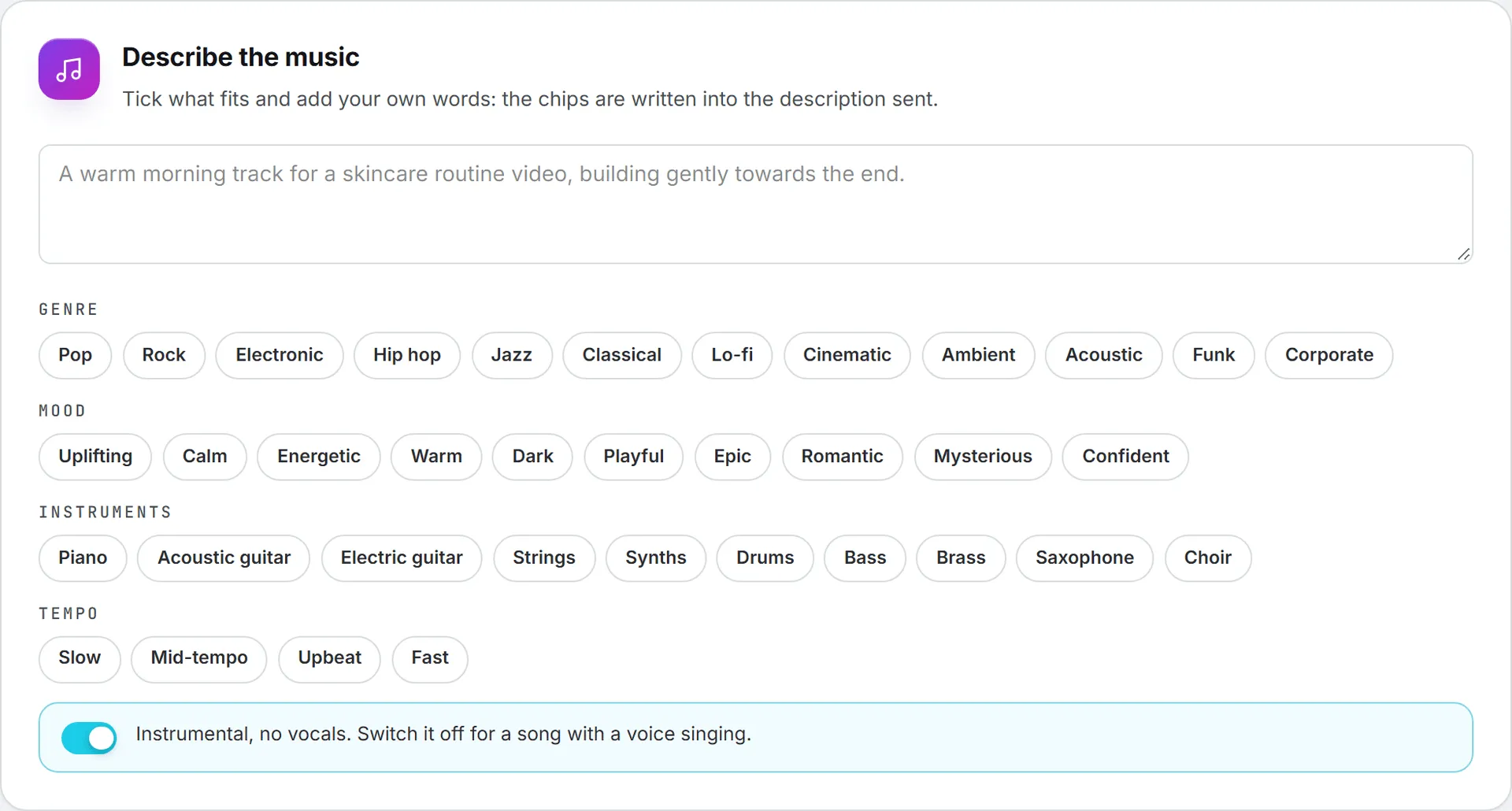
Describe the music
Write what the music is for and how it should move, such as “a warm morning track for a skincare routine video, building gently towards the end”. Then tick the chips that fit:
- Genre: pop, rock, electronic, hip hop, jazz, classical, lo-fi, cinematic and more.
- Mood: uplifting, calm, energetic, warm, dark, playful, epic and more.
- Instruments: piano, guitars, strings, synths, drums, bass, brass, saxophone, choir.
- Tempo: one of slow, mid-tempo, upbeat or fast.
The chips are written into the description sent, as shown under them. Instrumental, no vocals is on by default; switch it off for a song.
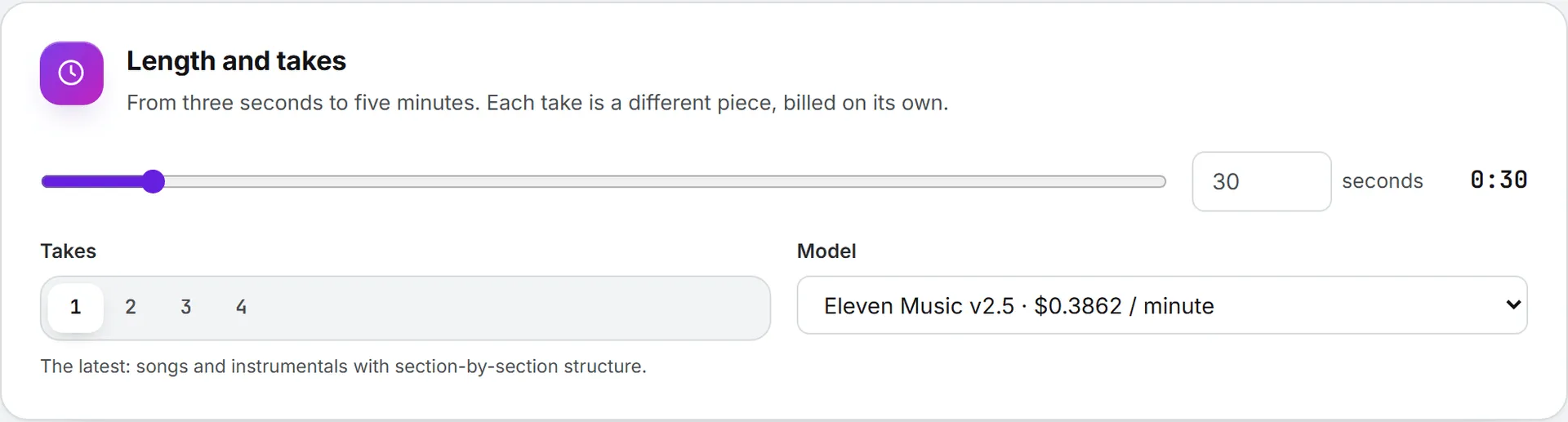
Length and takes
Set the length with the slider or type it exactly, from three seconds to five minutes. Pick one to four Takes: each take is a different piece composed from the same description, made at the same time and billed on its own. Model opens on the cheapest: Eleven Music v2.5, the latest, or Eleven Music v2.
Compose
The price of every take together shows next to Compose. The takes land under the button, each with its player, its length and its price, Download and Open in library. A take that fails is not billed and the others still arrive. Every take appears in History.
To give a brand a sonic logo or a jingle, compose it from its sonic brand kit.