Data access and privacy
Brand access decides what data you see. Learn what stays private, what Ask Intelligence reads, what administrators see about you, and how sign-ins are protected.
A handful of rules decide what each person sees in Intelligence. The first covers most cases: access to a brand is access to its data. The rest cover data with no brand, Ask Intelligence, what administrators see about you, and your sign-ins.
Brand access is data access
Most data in Intelligence belongs to a brand: keywords, content, social posts, ads, service desk conversations, brand files. If you don’t have access to a brand, you don’t see its data.
Who has access to which brand:
| Role | Brands they see |
|---|---|
| Administrator | Every brand of the organization |
| Brand manager | The brands an administrator assigned to them |
| Editor or viewer | The brands an administrator granted to them |
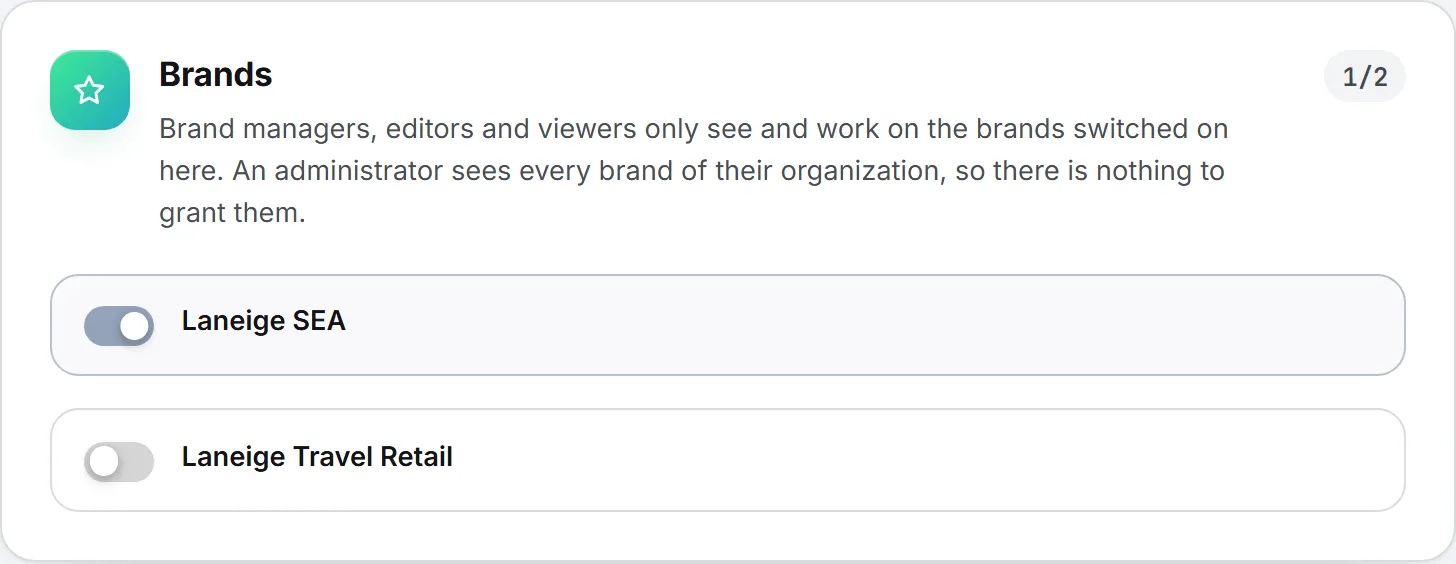
Administrators grant brands person by person, on each person’s page in Admin > Users. A brand you weren’t granted doesn’t show up anywhere for you. It’s missing from the brand picker and the lists, its files are hidden in the Assets Library, and Ask Intelligence and the agents won’t read it on your behalf. See Brands.
Organization-level data follows the module
Some data doesn’t belong to any brand. The sales pipeline, the CRM, revenue and costs, the project board, and organization-wide files belong to the organization as a whole.
Anyone who has the module sees that data. If your organization has Sales and your role can view the CRM, you see the whole CRM, whatever brands you were granted.
A few areas start out narrower. Revenue Follow Up holds the organization’s finance, so only administrators can view it unless an administrator grants it to someone. An administrator can tighten or widen rights for one person at a time. Nobody gets past what the organization itself has switched on, though. See Roles and rights.
Your own work stays yours until you share it
Work you do with no brand, filed under No brand, belongs to you. A post drafted for yourself or an image you tried out is visible to you alone until you share it.
When you share, you choose: Only me, Everyone in the organization, or Chosen brands. Sharing with brands doesn’t move the item; it stays under No brand and you can take the sharing back. Sending an item for validation also shows it to the colleague you picked as validator.
Important: Being an administrator doesn’t grant sight of someone’s unshared work. Deleting works the other way: once the organization can see something, only an administrator can delete it.
Tasks follow a similar rule. A task outside any project is visible to its author and to the person it’s assigned to. A task inside a project is visible to that project’s team and to the administrators who staff projects.
Agents read what their scope allows
An agent reads only the brands it was set to read, and only the modules those brands have switched on. When you build an agent from scratch, the list of data you can pick from holds only the features you can see yourself. One run never reads across organizations.
An agent can read several brands in one run. Its result is then shown only to the people who can see every one of those brands. More in Agents.
Assets Library visibility
Every file in the Assets Library belongs either to the whole organization or to one brand. You see the organization-wide files plus those of the brands you can access. Files under No brand follow the sharing rule above. A brand file you weren’t granted is invisible to you in the library, in folders, and in Ask Intelligence. See Assets Library.
What Ask Intelligence can read
Ask Intelligence is built to stay inside your data. It answers from what you can access in the app and from the systems connected to it. It only looks outside when you turn on web search.
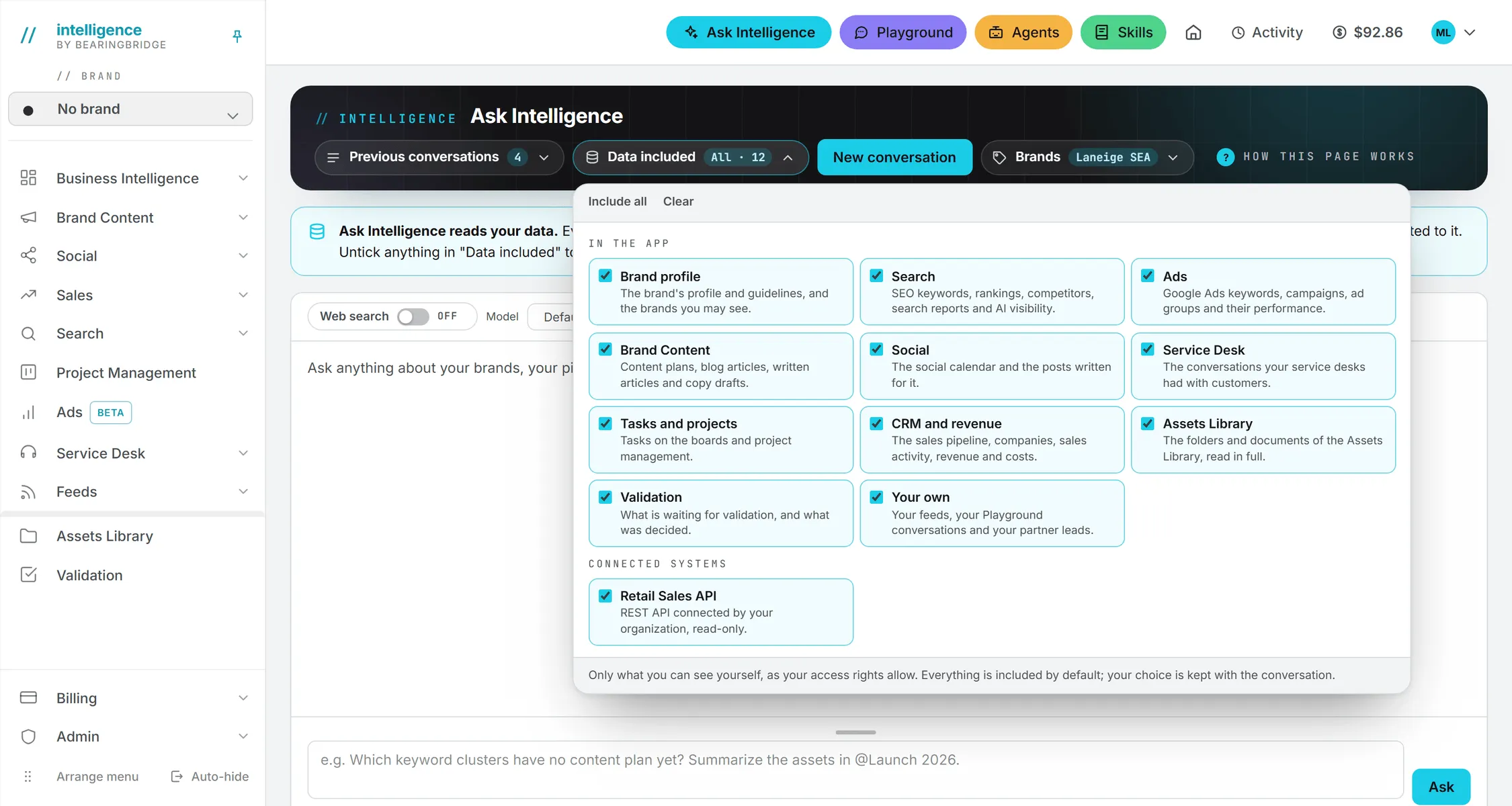
It reads your brands’ data across the modules, the organization-level data you’re allowed to see, the Assets Library, and your own feeds and Playground conversations. It doesn’t read the team list, the skills, the agents and their reports, or spending and billing.
You can narrow that further for any conversation under Data included, and web search, when you turn it on, is listed apart from your data. Your conversations are kept for you. What Ask can read has the full list.
The Playground doesn’t work that way. Its model sees only the conversation, the files you attach, and your instructions. Nothing you keep in the app reaches it.
Connections: who reads what
Your organization can plug in outside systems, such as its own CRM or a shared spreadsheet, and only administrators manage those connections. Reading them is decided person by person: administrators read every connection, and everyone else reads only the ones granted to them on the Users page. Ask Intelligence and the agents follow the same rule. See Connections.
You can also connect accounts of your own on My Connections: your Gmail mailbox, your Google Sheets, and your social accounts. Those are yours alone. They’re never offered to a colleague, an administrator, or an agent someone else set up.
Note: Gmail is the one connection that can write. Ask can leave a draft in your Drafts folder. Sending is off on every new connection, and only you can turn it on. Every draft and every sent mail is recorded, and you can look back at them.
What administrators can see about you
Administrators manage people, so each member of their organization has a page they can open. That’s where they set allowances and grant brands, and where they check sign-ins. It shows:
- Your name, role, organization, and sign-in address.
- The modules and brands you can reach, and the connections you read.
- Your daily allowance on the shared credits and what you’ve drawn today.
- Your own credit balance, its recent movements, and what you’ve spent today and this month.
- Your last paid actions, at the price billed.
- Your last sign-ins and the browsers you trusted for sign-in codes.
On the Usage page, administrators see every paid action of every member. Members see only their own.
Administrators can close your login and reopen it. Accounts aren’t deleted from the app, so when someone leaves, their login is closed and what they shared stays with the organization.
What they don’t see: your unshared work under No brand, your personal connections, and the content of your Ask Intelligence and Playground conversations.
Service desk conversations
A service desk answers visitors on your public page or website. Every question a visitor asks, and the answer given, is kept in that desk’s conversation log. Anyone who can open that brand’s service desk can read it. Tests run from the desk’s own page aren’t saved there. Deleting a desk deletes its whole log. The Service desk section explains desks in full.
The BearingBridge team
The BearingBridge team runs Intelligence. It sets a few things on your organization’s behalf, such as its monthly spend cap, and it can see sign-in history across every organization to keep accounts safe. They can’t see your unshared No brand work either.
Sign-ins and trusted browsers
Every sign-in attempt is recorded, including the ones that fail, and so are sign-outs, requests for a password link, and the sign-in codes sent. Your administrators see the recent ones on your page, with the network address each came from.
An organization can require a second step at sign-in: a 6-digit code sent to your sign-in address. It’s on for every organization created since the feature arrived, personal ones included. Organizations that existed before may have it off; their administrators switch it on in the organization settings. After you enter a code, you can trust that browser for 30 days. You can drop a trusted browser from Settings, and so can an administrator; the next sign-in there asks for a code again. See Sign-in and security.
Your content and the AI providers
Where does your content go when the AI runs? When you run an AI feature, your prompt and any attached files go to the company that runs the model you chose (OpenAI for GPT, Anthropic for Claude, and so on), so it can produce the answer. As the Privacy Policy states, BearingBridge doesn’t use your content to train models, its own or anyone else’s, and doesn’t sell personal data.
The full policy is on the public Privacy Policy page, which you can read without signing in. It covers the data collected, the model providers, the systems you connect, how long data is kept, and your rights.
Who grants what
| To give someone | An administrator uses |
|---|---|
| Access to a brand’s data | The person’s page in Admin > Users |
| More or fewer rights in a module | The same page, over what the role allows |
| Reading access to a connected system | The same page |
| A different role | The same page |
| Sight of your No brand work | Nobody but you: share it yourself |