Contact support
Reach the BearingBridge team from the Contact us page. Pick a reason, write your message, and the answer comes by email to your sign-in address.
You can get help with Intelligence in three places: this help center, which the Help center button in the app’s footer opens in a new tab; the Contact us form inside the app; and the Report a bug form for things that are broken. Below: how the Contact us form works, and who’s best placed to answer which question. Locked out? Jump to If you can’t sign in.
Start with the help center
This help center covers every module, setting, and rule of the app. Type a few words into Search the help center in the header of any page, for example the name of the screen you’re on or the message you see. The FAQ answers common questions, and troubleshooting lists common problems with their fixes.
Your administrator or the BearingBridge team?
A lot of questions get a faster answer inside your own organization, because administrators decide much of what you see and spend.
| Your question | Who can answer |
|---|---|
| A module or page is missing from your menu | Your administrator (they set what each person works on). Troubleshooting lists the other causes. |
| You need a daily allowance on the organization’s credits | Your administrator |
| You need access to a brand | Your administrator |
| You want another interface language offered | Your administrator |
| You can’t sign in because your login was deactivated | Your administrator |
| Your organization needs a module it doesn’t have | The BearingBridge team |
| A payment or an invoice looks wrong | The BearingBridge team. Buying credits and downloading invoices you can do yourself: see billing. |
| A question about a feature, an idea, feedback | The BearingBridge team |
| Something is broken | The BearingBridge team, through Report a bug |
Not sure who your administrator is? Anyone with the admin role in your organization can help. On a personal account, that’s you: your admin pages are in the Admin menu.
Send a message with Contact us
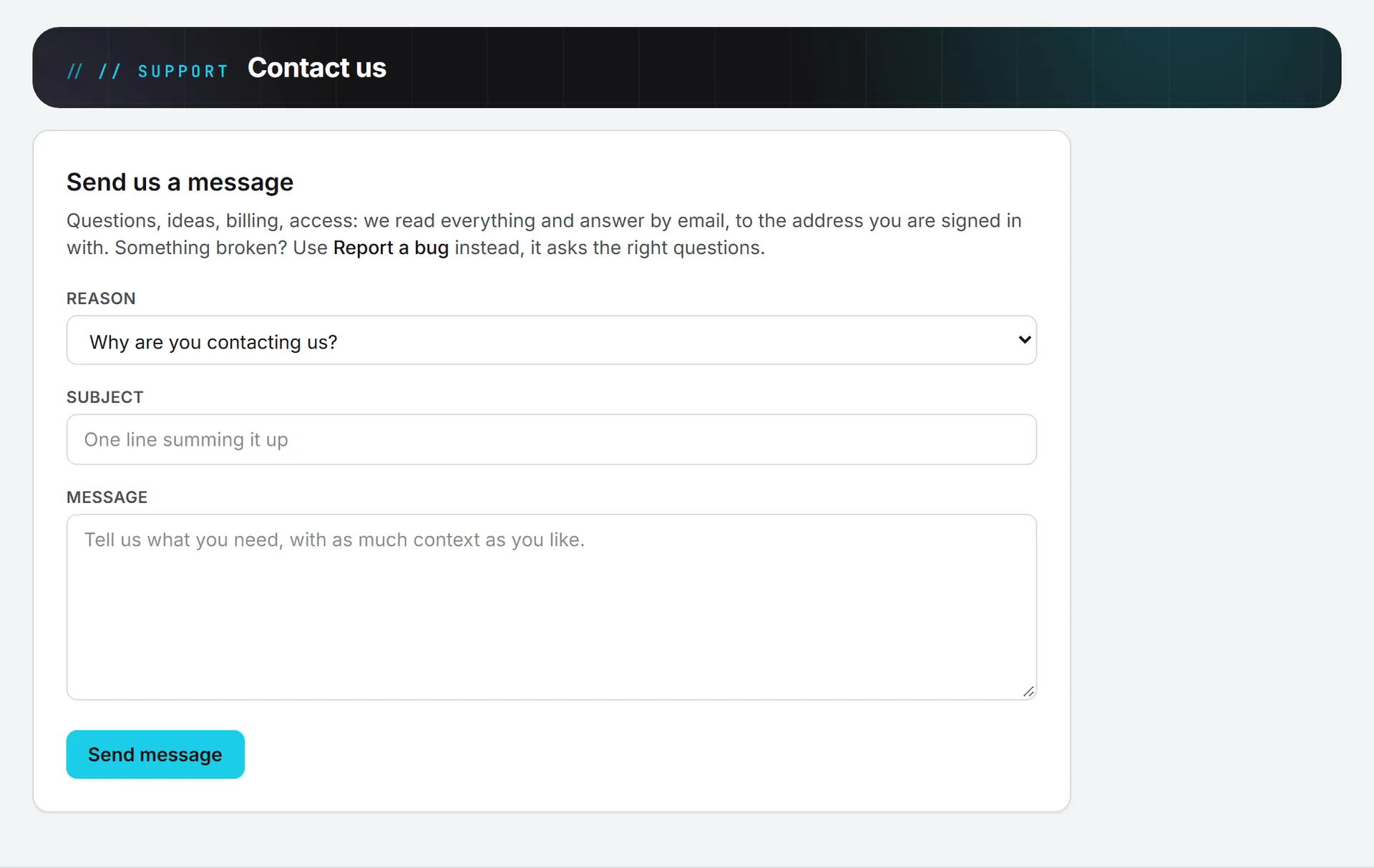
- Click Contact us in the footer of any page. It opens in a new tab.
- Pick a Reason.
- Write a one-line Subject.
- Write your Message, with as much context as you like.
- Click Send message.
After you send it, the page says Thank you, your message is on its way. and shows the address the answer will go to. Send another message clears the form for a new one.
The reasons
The Reason list has nine choices: Question about a feature, Help getting started, Feature request or idea, Billing & credits, Account & access, A data or report looks wrong, Partnership or sales, General feedback, and Something else. The reason goes at the start of the subject line the team sees, so pick the closest one.
What gets sent
Your message goes to BearingBridge’s support mailbox. With it go your sign-in address, your role, your organization’s name, and your browser’s user agent (the line that says which browser and system you use). The team answers by email to the address you sign in with. There’s no ticket number and no response time promised on the page: reply to the answer to keep the conversation going.
If the page shows a support email address under its intro, you can also write to it directly from your own mailbox.
Report a bug instead
If something is broken, Report a bug is the better form. It asks for the module and the feature up front, plus how severe it is, so the team can start looking instead of writing back to ask.
Details and limits
Support works by email: there’s no phone line or live chat for support inside the app. Anyone who can sign in can use both forms, whatever their role, and sending a message costs no credits. The subject takes up to 150 characters and the message up to 5,000.
Some links in the app open Contact us with the reason and subject already filled in. Asking for a tailor-made agent from the agents catalog works that way. Check what’s there and add your details before you send.
If you’re a partner, questions about your rate or a lead go under Partnership or sales. See the partner program overview.
If the form says The support mailbox is not reachable right now. Please try again later., your message wasn’t sent. It’s still in the form, so try again in a few minutes.
If you can’t sign in
The Contact us form needs a signed-in account. If you forgot your password, use Forgot password? on the sign-in page. If your login was deactivated or your organization’s access is paused, the sign-in page tells you. In both cases, ask your organization’s administrator. See sign-in and security.