Credits and costs
Prepaid credits pay for AI runs, data calls, stored files, and X posts. See which balance pays, who sets limits, and what stops at zero.
Intelligence runs on prepaid credits. You buy them ahead of time, and every paid action in the app takes its price off a balance. This page is for anyone who runs AI features and for the administrators who pay for them. It covers the model itself; the how-to steps are in the Billing section.
One credit is one dollar
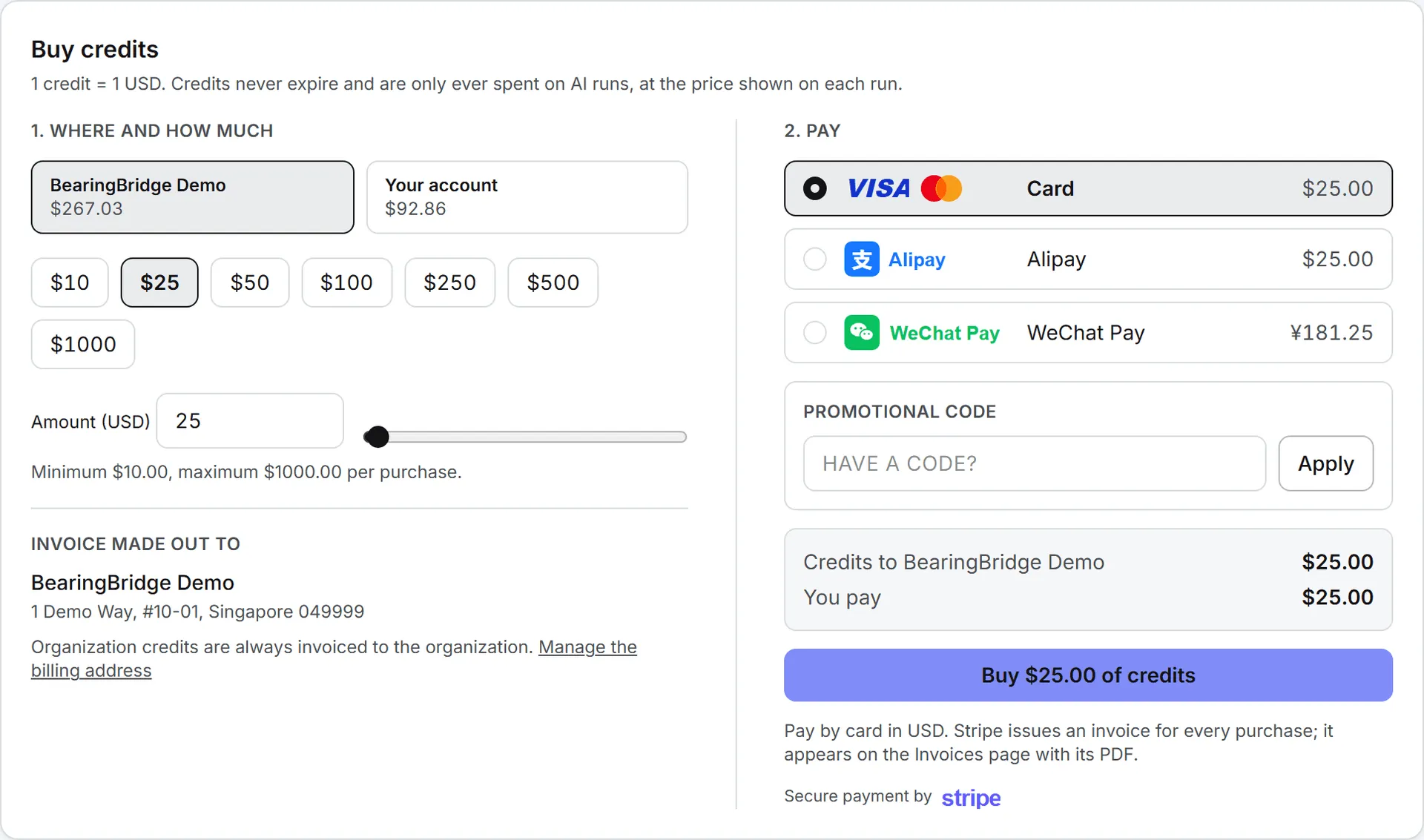
A credit is worth 1 US dollar. The amount you pay at checkout is the amount that lands on your balance. Credits never expire, and they are only spent on paid actions at the price shown on each one.
Credits are bought on the Buy Credits page of the Billing menu, with a card, Alipay, or WeChat Pay, from $10 to $1,000 at a time. Each purchase comes with an invoice. The Terms of Service say credits are never refunded, and you accept them before your first purchase. The steps are in Buy credits, and Automatic top-up explains how to refill a balance on its own with a saved card.
What costs credits
Anything that calls an AI model or an outside data source is paid: writing with AI, rendering an image or a video, an Ask Intelligence answer, an agent run, fresh search data, a service desk answer, a post published on X, and the rent on the files you store. Reading, browsing, editing by hand, moving things around, and opening the dashboards cost nothing.
What costs credits has both lists in full, feature by feature.
Note: Credits aren’t the only gate. Viewers have a read-only role, so they can’t run paid actions at all, even with money on the balance. They can still buy credits. See Roles and rights.
Every paid action shows its price
The app tells you the price of each paid action, before you run it, after it finishes, or both:
- The image form prices your setup before you click (“This setup costs … per image”) and updates the figure whenever you change a setting or switch engine. The video form quotes its price the same way.
- The publishing step on X says “This send costs …” before anything goes out.
- A text draft, an Ask answer, or a Playground reply carries its cost right beside it.
- Every agent run lists its token usage and billed cost on the Runs tab of Agents.
The price is locked in when the action runs. A later price change never rewrites what’s already on record.
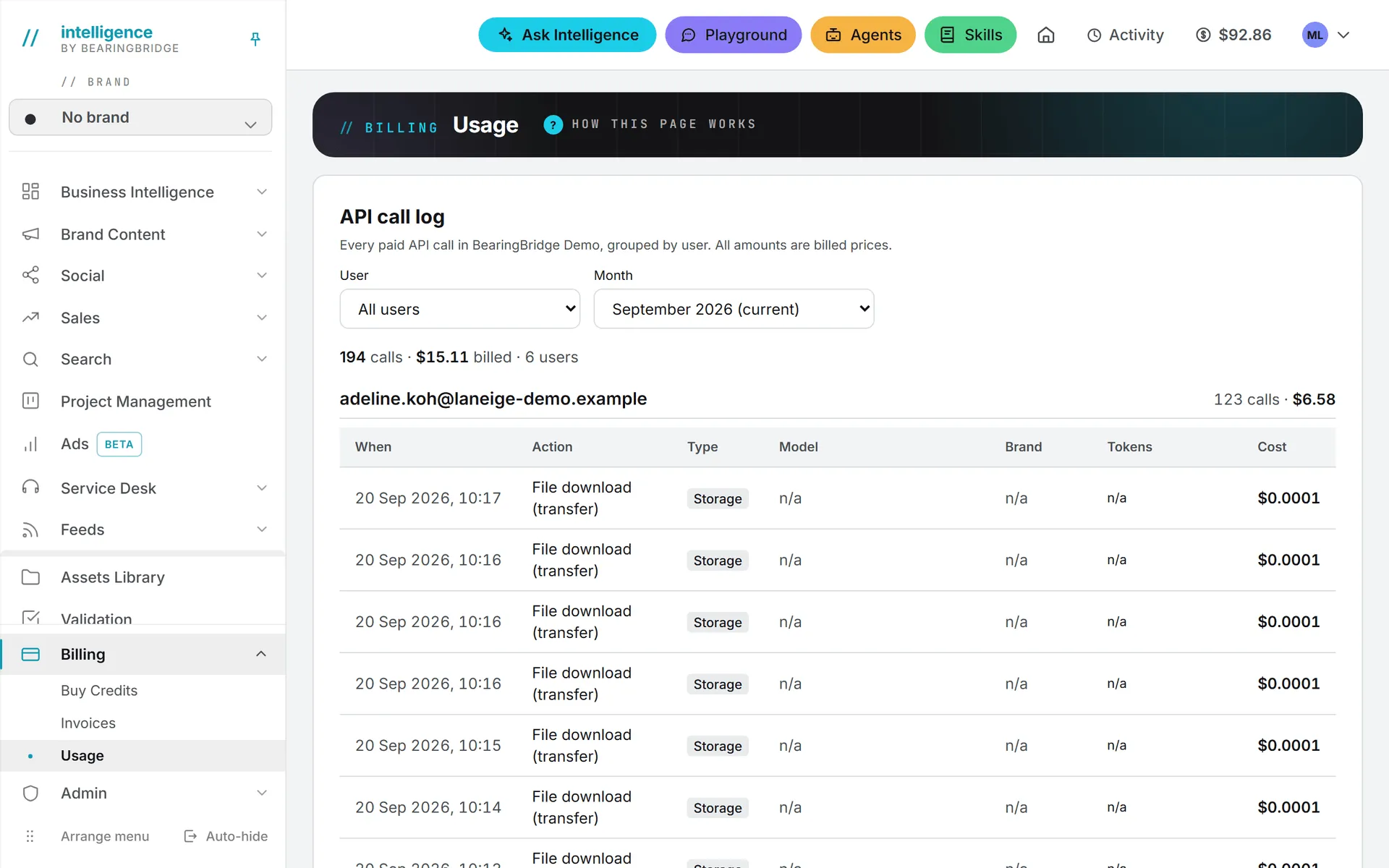
Every paid action is also written to the Usage page under Billing, with its time and its price. Members see their own actions. Administrators see the actions of everyone in their organization. See Usage log. Purchases and every other movement on a balance are listed on the Invoices page, next to the invoice PDFs.
Want a price before you pick a model? Administrators see what each text model costs per million tokens on the AI Models page. See AI models.
Two balances: yours and your organization’s
Inside an organization, two balances can pay for your work.
Your own credits are the ones you buy for your account. Nobody else can touch them, and no cap applies.
Your organization’s shared credits are one pot bought by its administrators. Every member can draw on it, but only up to a daily allowance.
When you run a paid action, the shared credits pay first, within your allowance for the day. Once the allowance is used up, or the shared pot is empty, your own credits take over. So credits of your own let you keep working after the allowance runs out, without waiting on an administrator. Any member can buy them.
If you have a personal account (a personal organization with nobody in it but you), there is only one balance: yours. Everything you run is paid from it. See Organizations for how personal organizations work.
The number in the top bar
The coin figure in the header is what you can spend right now. In an organization, it adds two things: what you may still take from the shared credits today, and all of your own credits. Hover over it for the breakdown, or open Buy Credits, which spells out both parts.
Say the shared pot holds $500. Your daily allowance is $20 and you’ve used $5 of it today. You also own $30. The top bar shows $45: $15 from the shared credits plus your $30. Tomorrow, with nothing else changed, it shows $50.
The figure turns amber when it drops below $5 and red at zero, where it becomes a Buy credits button.
Who funds the shared credits and sets allowances
Only an administrator can buy credits for the organization. Anyone can buy credits for their own account. A personal organization has no shared pot, so none of this section applies to it.
Each member’s daily allowance is set by an administrator on that person’s page in Admin > Users. A new member starts at zero and can’t draw on the shared pot until someone grants an allowance. Leave the field empty and the limit goes away: that member may use the whole shared balance. Allowances reset at midnight UTC.
If one person does most of the heavy work, video for instance, raising their allowance alone is usually safer than lifting everyone’s.
The Credits page under Admin shows the same figures from the pot’s side: the shared balance, what each member has drawn today, and what they may still draw. It’s covered in Shared credits.
Spend limits
Several limits sit on top of the balances. They slow spending down. None of them puts money in.
| Limit | What it bounds | Who sets it |
|---|---|---|
| Daily allowance | What one member takes from the shared credits per UTC day | An administrator, on the person’s page |
| Monthly spend cap | What the whole team takes from the shared credits in a calendar month | The BearingBridge team |
| Agent budgets | What one agent may spend per month and per week | The owner of a personal agent; an admin or brand manager for shared ones |
| Playground allowance | What one member may spend in the Playground per month | An administrator, on Admin > AI Models |
| Desk daily budget | What one service desk may spend per day | Set on the desk’s own page |
Your own credits never count toward the daily allowance or the monthly cap. Once the monthly cap is hit, members get a message that begins “Your organization’s monthly budget is used up” and points them to an administrator.
When a balance reaches zero
Most people only notice these rules on the day something stops. Here’s what that day looks like. With nothing left to spend, AI features switch off. The rest of the app keeps working: you can still open every page, read your data, edit by hand, and download files.
Note: The check happens before an action starts. An action that starts with credit always finishes, even if it takes the balance below zero. The next one is blocked.
The message tells you which case you’re in:
- You’re out of credits. The Buy Credits page says “You are out of AI credits.” Buy credits for your account, or ask an administrator to fund the organization.
- Today’s allowance is spent. The page says “Today’s shared allowance is used up.” Your own credits keep you going. Otherwise, ask an administrator to raise the allowance, or wait for midnight UTC.
- You have no allowance yet. The message explains that an administrator sets one on your page, and that your own credits have no limit in the meantime.
Two more things change at zero. New file uploads are refused, though the files you already have stay put and keep their daily storage charge. And service desks stop answering customers. They offer your contact address instead until the balance is refilled.
Storage and downloads are billed too
The next two charges don’t come from clicking a generate button. Keeping files and sending them out both cost credits.
Storage rent is charged once a day and comes out of the organization’s credits, the owner’s own credits in a personal organization. It’s charged even on an empty balance, which can then fall below zero, and new uploads stay refused until someone refills it. Downloads are charged to whoever downloads the file, and a download is never blocked, even at zero.
Storage costs says what counts as storage and how the rent is worked out.
Publishing on X is billed
LinkedIn, Facebook, Instagram, and TikTok charge nothing to publish. X is the exception: it bills every post sent through its service, so publishing there costs credits, and the publishing step shows the exact price before you confirm. See X.
Low-credit emails
When the organization’s shared credits drop below $5, every administrator of the organization gets an email, in the language they use the app in, and so does the billing address when it’s someone else. The email reminds them that these credits also pay the service desks, which stop answering at zero. In a personal organization, the owner gets it. It’s sent once, when the balance crosses that line, not again after every run that follows.
No email goes out for a member’s own credits, or for a balance on automatic top-up, since it refills itself.
The BearingBridge team can also adjust a balance by hand. Every adjustment is recorded with a reason, and the person is emailed about it.
Good to know
Service desk answers are paid from the organization’s credits, never from an administrator’s own. Agents follow their owner: one added to the organization is paid from the organization’s credits and isn’t held to the daily allowance of the member who set it off, while a personal agent is paid by the person who owns it. A run that finds nothing new skips the model, so it costs nothing.
Troubleshooting
The shared balance dropped and nobody ran anything. An administrator can find the answer on the Usage page, which lists the whole organization. Scheduled agents run on their own, and a service desk answers customers at any hour. Storage rent comes out every day too. Each of these has its own line in the log.
The top bar shows less than the shared balance. That’s expected. The top bar shows what you personally may still spend today, which is your remaining allowance, not the whole pot.
I bought credits and still can’t run anything. Check your role first: a viewer can’t run paid actions, whatever the balance. If the message mentions the monthly budget, the organization’s cap is reached and only the BearingBridge team can change it; your administrator can ask.