Partner program overview
Partners resell Intelligence and earn commission on what their customers pay. Learn how the flag works, what the Partner menu holds, and how commissions start.
A commercial partner resells Intelligence and earns a commission on what the customers they bring pay BearingBridge. Being a partner adds a single menu to your account. That’s where you register the business you bring in and watch what it earns you.
A flag on your account, not a role
Being a partner is a flag the BearingBridge team switches on for an account. It isn’t a role, and organizations don’t buy it.
Any account can carry it. You might administer a client organization or work inside one as an editor. You might just have a personal account. Nothing else about your access moves when the flag goes on. You keep the same role and the same modules and brands, plus one extra menu. See roles and rights.
If the team turns the flag off later, the Partner menu disappears. The leads you registered and the commissions they earned stay on record, untouched.
Becoming a partner
You can’t switch the flag on yourself, and an administrator of your organization can’t either. Only the BearingBridge team can. If you want to resell the app, write to the team from Contact us with Partnership or sales as the reason. When the flag goes on, your commission rate is set at the same time.
What the Partner menu holds
Once the flag is on, a Partner entry shows up in the left menu with three pages under it.
| Page | What you do there |
|---|---|
| Leads | Register a company you’re bringing to BearingBridge and follow the stage it has reached. |
| Invitations | Write to a prospect in your own words. If they open an account through your mail, they become your lead automatically. |
| Commissions | See what the customers you brought have paid and the commission you’ve earned on it. |
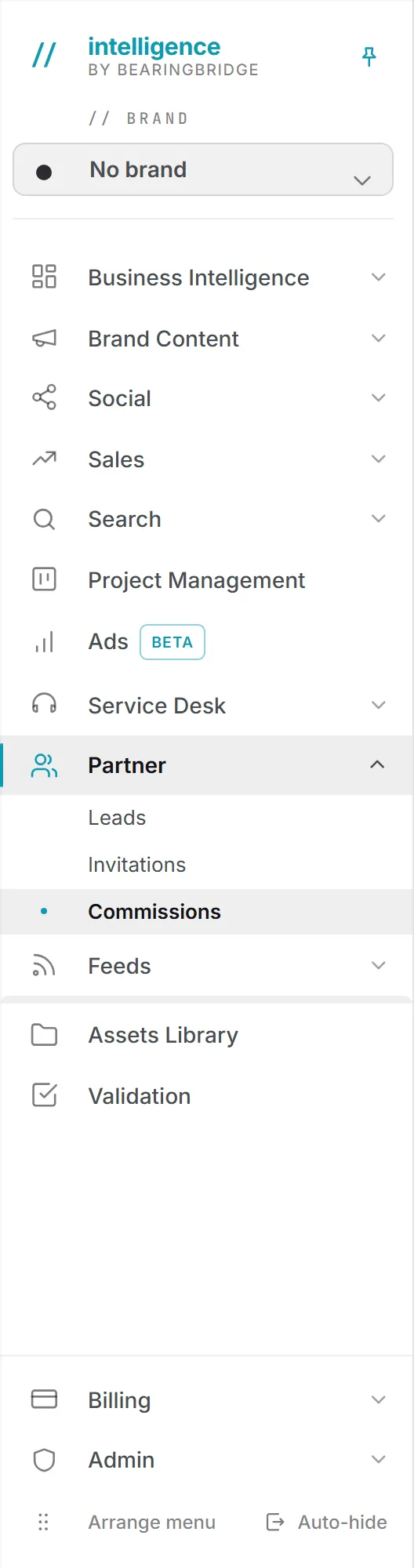
Only partners see this menu, and anyone else who types a Partner address is sent back to the dashboard. The BearingBridge team can open the pages to help you. You can reorder the three pages with Arrange menu at the foot of the left menu, like any other group.
Your home page is your commission statement
Sign in and you land on Commissions, which shows what your customers have paid and what you’ve earned on it.
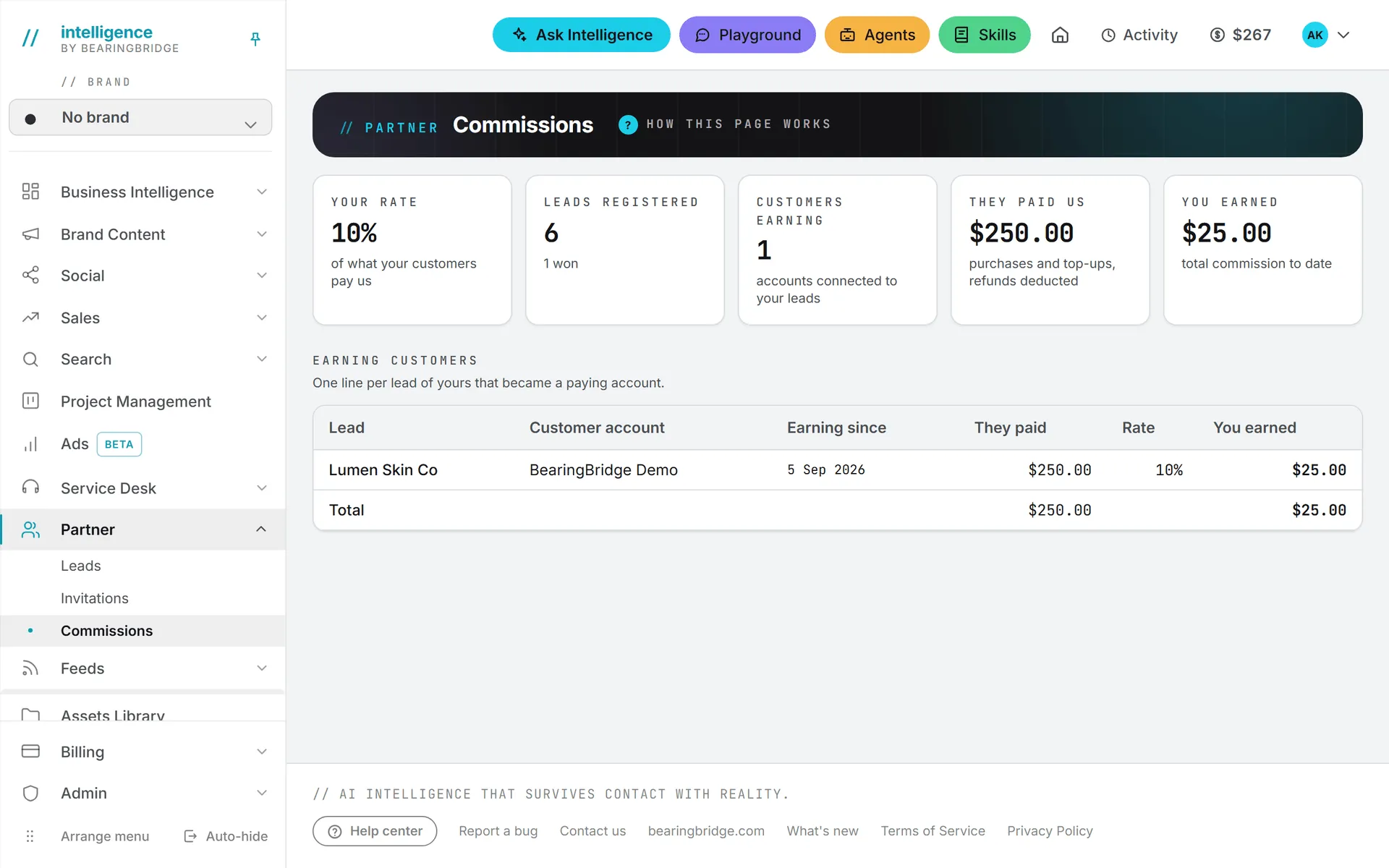
You can pick a different home page, like any user. Open the page you want and click the house icon in the header (its tooltip reads Make this my home page). Click it again on that page to go back to the default. The same choice is on your Settings page as a list. If you never choose one, sign-in keeps opening your commissions.
How a lead turns into a commission
Here’s the path a lead takes, from the day it’s registered to the first dollar of commission.
- You register a lead on Leads, or a prospect opens an account through one of your invitations.
- The lead goes straight into BearingBridge’s own sales pipeline, with your name on it. You follow its stage from the Leads page.
- When the deal is won, the BearingBridge team connects your lead to the account the customer opened. An invitation that ends in a new account is connected on the spot, with no one having to do it by hand.
- From that day, Commissions shows what that account pays BearingBridge and your share of it.
Your commission is a share of money paid in, in US dollars: credit purchases and automatic top-ups, with refunds deducted. It isn’t based on what the customer spends in the app, and free credit BearingBridge grants a customer doesn’t count. The rate that applies to a lead is frozen on the day the lead is connected, so a later change to your terms never rewrites what you’ve already earned. Your current rate is the first figure on the Commissions page. A lead you registered by hand that ends as lost or dropped earns nothing, since only won deals get connected to a customer account.
Getting paid
The Commissions page is a statement. It shows what you’ve earned, but the app doesn’t send payouts. How and when your commission is paid is agreed with the BearingBridge team.
Your partner data stays yours
Your partner pages are private. No partner can see another partner’s leads, invitations, or commissions.
The viewer role is normally read-only, but the Partner pages are an exception. A partner who holds the viewer role can still register leads and send invitations, because those belong to your own business and not to your organization’s data.
Ask Intelligence can read your partner leads too. They sit in the Your own data group, next to your feeds and your Playground conversations, so you can ask something like “which of my leads are still open?” and get an answer from your own records.
Tip: Questions about a lead or your rate go through Contact us with Partnership or sales as the reason. The same goes for payout questions. If it’s about one lead, name the company so the team can find it quickly.