TikTok (Beta)
TikTok posts in Intelligence start from the video: render, pick or upload a clip, draft the caption or a full script, then publish on schedule.
TikTok in Intelligence is where editors make a TikTok post and publish it on a creator account. On TikTok a post is a video, and the copy is its caption. The whole TikTok area is marked Beta in the left menu. If something doesn’t behave, report it.
Where you find it
In the left menu, open Social, then TikTok. It carries a Beta tag. Inside, two tabs sit under the title:
Posts holds every TikTok post of the brand, from first draft to published. Brief is a longer form for briefing one post in depth, with material to write from.
A TikTok post starts with the video
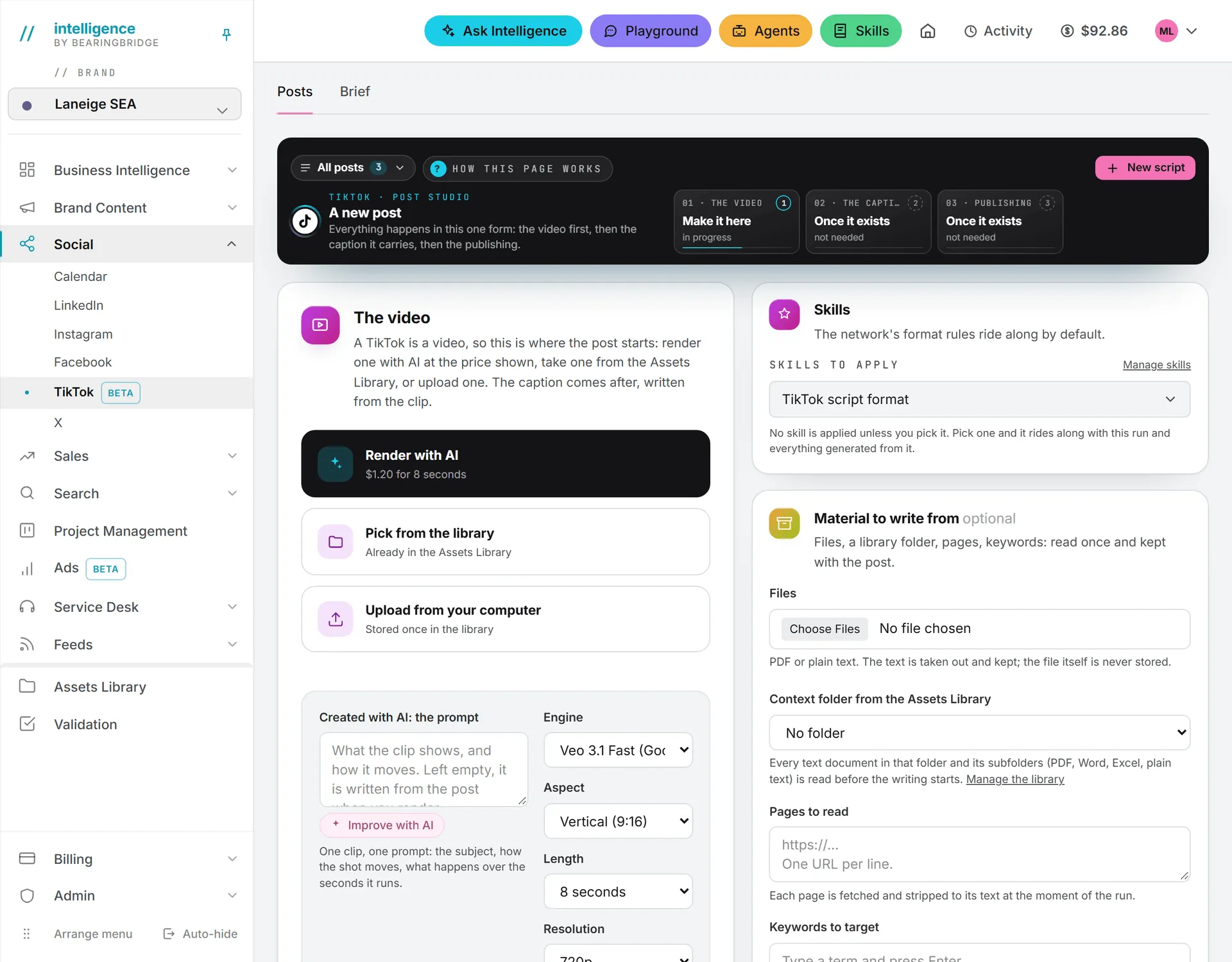
TikTok turns the usual order around: you make the video first, then write the caption from it. A post has three steps: 01 the video, 02 the caption, 03 publishing. There is no brief step.
To start a post on the Posts tab, use the The video card:
- Pick the caption’s language and whether it may use emoticons.
- Get the clip: render one with AI at the price shown, pick one from the Assets Library, or upload one from your computer.
- There’s no separate Create button. The post exists as soon as you render, pick or upload.
- Write the caption in step 02, with AI or by hand. See writing posts.
- Publish in step 03. See publishing.
A render asks for a length and a resolution, and sound is a switch. Each of those moves the price, which updates before you press.
The Brief page
The Brief tab is the long way in, for a post that deserves real preparation. You hand over the material, and the AI writes the whole package: a hook, a timed script, on-screen text for a 1080x1920 canvas, and the caption with its hashtags.
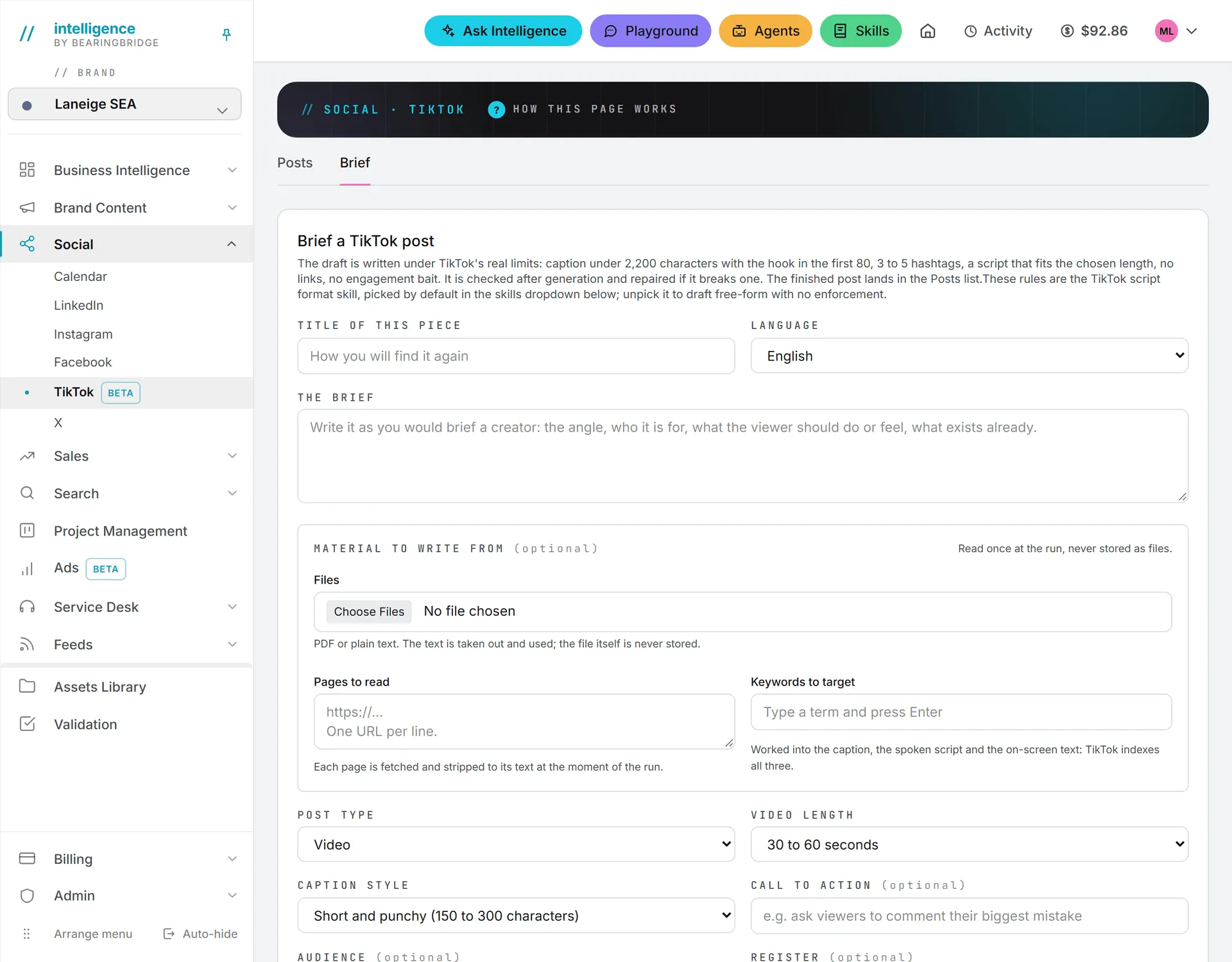
| Field | What it does |
|---|---|
| Title of this piece | How you find it again |
| Language | The language of the post |
| The brief | Required. The angle, the audience, what the viewer should do or feel |
| Files | PDF or plain text (.pdf, .txt, .md, .csv, .json), up to 5. The text is read, the file is never stored |
| Pages to read | One address per line, read at the moment of the run |
| Keywords to target | Type a term and press Enter, up to 25. The brand’s tracked keywords are suggested. TikTok indexes the caption, the spoken script and the on-screen text, so the keywords go into all of them |
| Post type | Video or Photo carousel |
| Video length | 10 to 15 seconds, 15 to 30 seconds, 30 to 60 seconds (default), or 1 to 3 minutes |
| Caption style | Short and punchy (150 to 300 characters) or TikTok SEO (300 to 600 characters) |
| Call to action | Optional. For example, ask viewers to comment |
| Audience | Optional. Who the post must land with |
| Register | Optional. The tone, such as deadpan expert or playful |
| Must appear | Optional. Facts, names or claims to include |
| Must not appear | Optional. Anything to stay away from |
Pick Photo carousel and the length field disappears: the draft then writes slide text, up to 35 slides with the hook on the first, and the caption may run to 4,000 characters.
The brand guidelines apply to every run, and you can pick the AI model next to the button. If a file or a page can’t be read, the result says which one.
The TikTok script format skill is picked by default in the skills list. With it, the draft follows TikTok’s rules:
- The caption stays under 2,200 characters, and the hook sits in the first 80.
- 3 to 5 hashtags.
- No links, since they aren’t clickable in a TikTok caption.
- No engagement bait such as “like for like” or “follow for follow”.
- The script fits the chosen length.
Every draft is checked when it comes back. One that breaks a rule gets a single repair pass from the AI, and if the caption still doesn’t fit, the app trims it. The result line says what happened, such as “passed the limits first try”. Unpick the skill to draft freely with no rules enforced. Your organization can edit the skill’s text: see formats.
Press Draft the post. The draft appears under the form with its checks and its cost, and it’s already saved on the Posts tab. Open in Posts takes you there.
Important: The Brief page saves the hook, the script, the on-screen text and the caption together as the post’s copy. TikTok receives the post’s copy as its description, so cut it down to the caption before you publish. The post also needs a video before it can go out.
TikTok limits
Once the post exists, these are the lines it has to stay inside.
| Limit | Value |
|---|---|
| Video types | MP4, MOV, WEBM |
| Video size | 4 GB |
| Video length | 3 seconds to 10 minutes |
| Caption | 2,200 characters |
| Clips per post | 1 |
| Posts per account | 15 in any 24 hours, sent from Intelligence |
On top of that, TikTok gives each creator a daily cap of its own, shared across every app they’ve authorized. When an account hits either cap, the post waits an hour and tries again.
On the Posts tab a TikTok post is always a video. Photo posts made before the app went video-only on TikTok still publish.
Connect a TikTok account
- Go to My connections and press Connect on TikTok.
- Sign in as the creator the posts go out on and press Authorize.
- The account comes back with what TikTok allows it: who may see its posts and how many it may post.
The app renews the connection every day; after a year TikTok asks you to authorize it again.
Publish on TikTok
In the publishing step, tick the creator account under Who it goes out as, pick a time, and press Schedule or Publish now. From there it works as on every other network, queue and retries included: see publishing.
Creator settings
Before you press, open What TikTok asks for:
| Setting | Choices |
|---|---|
| Who sees it | Everyone, Followers, Friends, Only me |
| No comments | Turns comments off |
| No duets | Turns duets off |
| No stitches | Turns stitches off |
TikTok narrows the audience to what the creator’s own settings allow. If it publishes with a narrower audience than you asked for, the banner says so. If the creator turned comments, duets or stitches off in TikTok, they stay off.
Publishing by hand
The Publish manually tab opens TikTok’s upload page with the caption on your clipboard. You pick the clip from your own computer there: the app can’t carry the file across. You can’t pick an hour this way unless TikTok’s upload page offers it, and Intelligence is never told the post went out.
After it’s published
TikTok processes a post after it arrives, so the app keeps asking for its status for about half a minute. A post TikTok turns down in that time shows as failed rather than published. View live opens the creator’s profile.
The app can’t edit or delete a TikTok post. Do that in TikTok.
What it costs
Publishing on TikTok is free. Drafting with AI and runs of the Brief page use credits. A Brief run that needed a repair pass made two AI calls, and the cost shown under the result covers both. Video renders cost credits too, and their price depends on the length, the resolution and sound. Each price shows before you press. Clips you upload are stored in the Assets Library, which bills storage. See what costs credits.
Who can do this
The Brief page and drafting need the editor role or above and access to the brand. Publishing on a creator account needs that account connected on your own My connections page. See brands and roles and rights.
Troubleshooting
The post went out to fewer people than I picked. The creator’s account allows a narrower audience than the one you picked, and TikTok applied that one. The banner said so when it went out. Which audiences are open depends on the account’s own settings in TikTok.
The post is waiting with a daily limit message. The account reached its cap. The app tries again an hour later.
The clip was refused. Check its type, weight and length against the limits above. A clip under 3 seconds or over 10 minutes won’t go out.
A Brief page draft won’t queue. Its copy holds the whole package and is likely over 2,200 characters, or the post has no video yet. Trim the copy to the caption and add a clip.