Leads
Register the companies you bring to BearingBridge, follow each lead's stage in the sales pipeline, and see when a won lead starts earning you commission.
The Leads page is where commercial partners register the business they bring to BearingBridge. Every lead you save goes straight into BearingBridge’s own sales pipeline, and the page shows you the stage it has reached.
You need the partner flag on your account to see this page. Without it, there’s no Partner menu. The partner program overview explains how the flag works.
Register a lead
- In the left menu, open Partner > Leads.
- Fill in the Register a lead form. Only Company is required.
- Click Register the lead.
The page reloads, and your new lead sits at the top of Your leads.
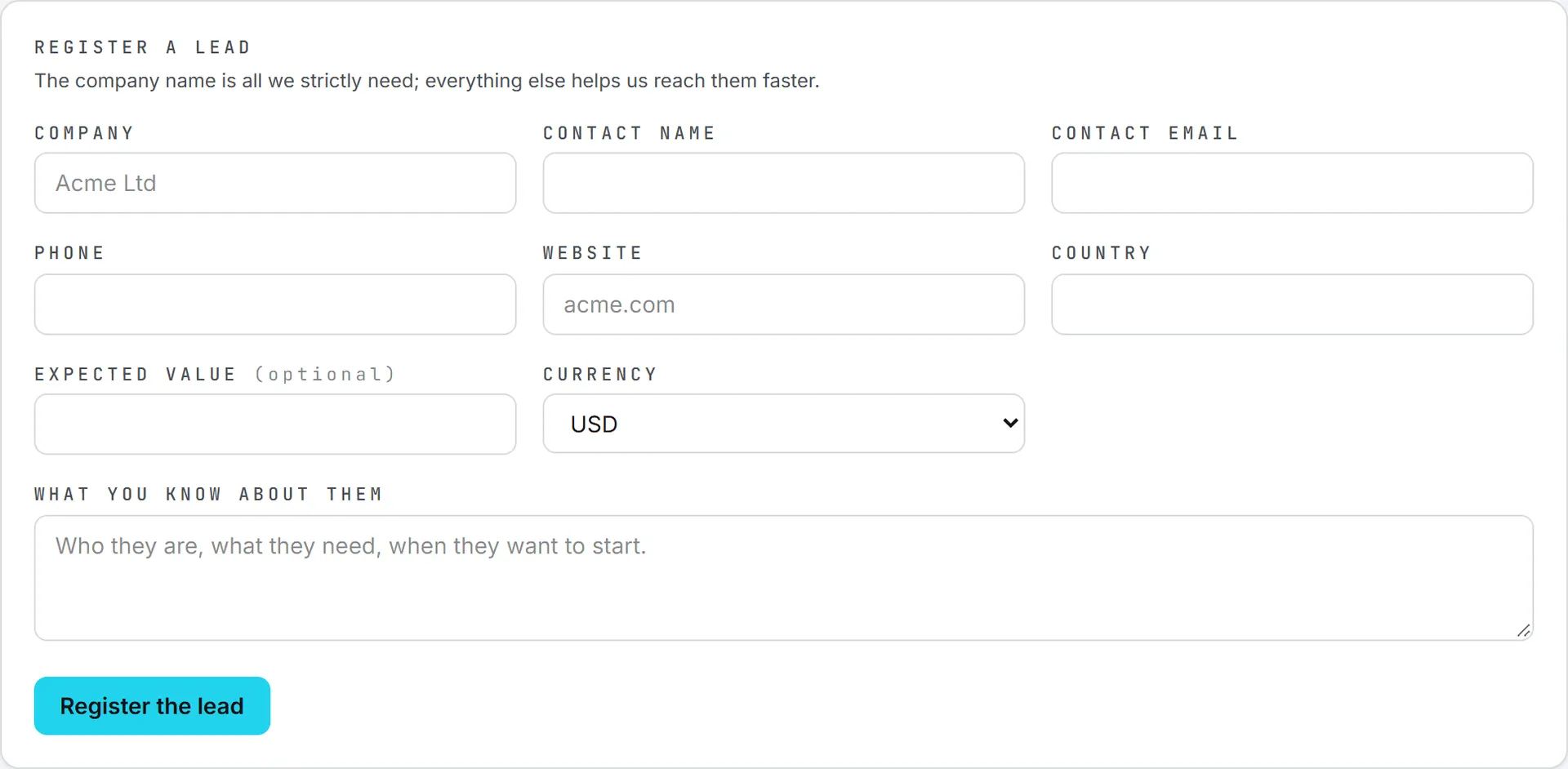
The form fields
| Field | What to put there |
|---|---|
| Company | The company’s name. Required. |
| Contact name | The person you’re talking to. |
| Contact email | Their email address. It has to look like an address. |
| Phone | Their phone number. |
| Website | Their site, for example acme.com. |
| Country | Where they’re based. |
| Expected value (optional) | Your own estimate of the deal. |
| Currency | USD, EUR, CNY, HKD, or AUD. USD is preselected. |
| What you know about them | Who they are, what they need, and when they want to start. |
Strictly speaking, BearingBridge only needs the company name. The rest helps the sales team reach the company faster, so fill in whatever you have.
If you click Register the lead with no company name, the page stops you with A company name is needed. A contact email that doesn’t look like an address is refused with That contact email does not look like an address., and the expected value has to be a positive number.
Note: The expected value is your estimate only. It helps size the opportunity, but it never changes what you earn. Your commission is always a share of what the customer actually pays, counted in US dollars, whatever currency you picked here.
What happens when you save
The lead is filed in BearingBridge’s CRM the moment you save it, as a client company with a deal at the Lead stage. The deal is marked as a partner deal and your name goes in its notes, so the sales team knows who brought it.
Once in a while a lead can’t be filed right away. It’s still saved. You’ll see Waiting to enter our pipeline. We have been told. under the company name, and the Stage column shows Not filed yet. Don’t register it again. It’s already on file, and the BearingBridge team can move it into the pipeline from there.
Your leads
The Your leads list shows every lead you’ve registered, newest first. The line above it keeps a running count of registered, still open, and won leads.
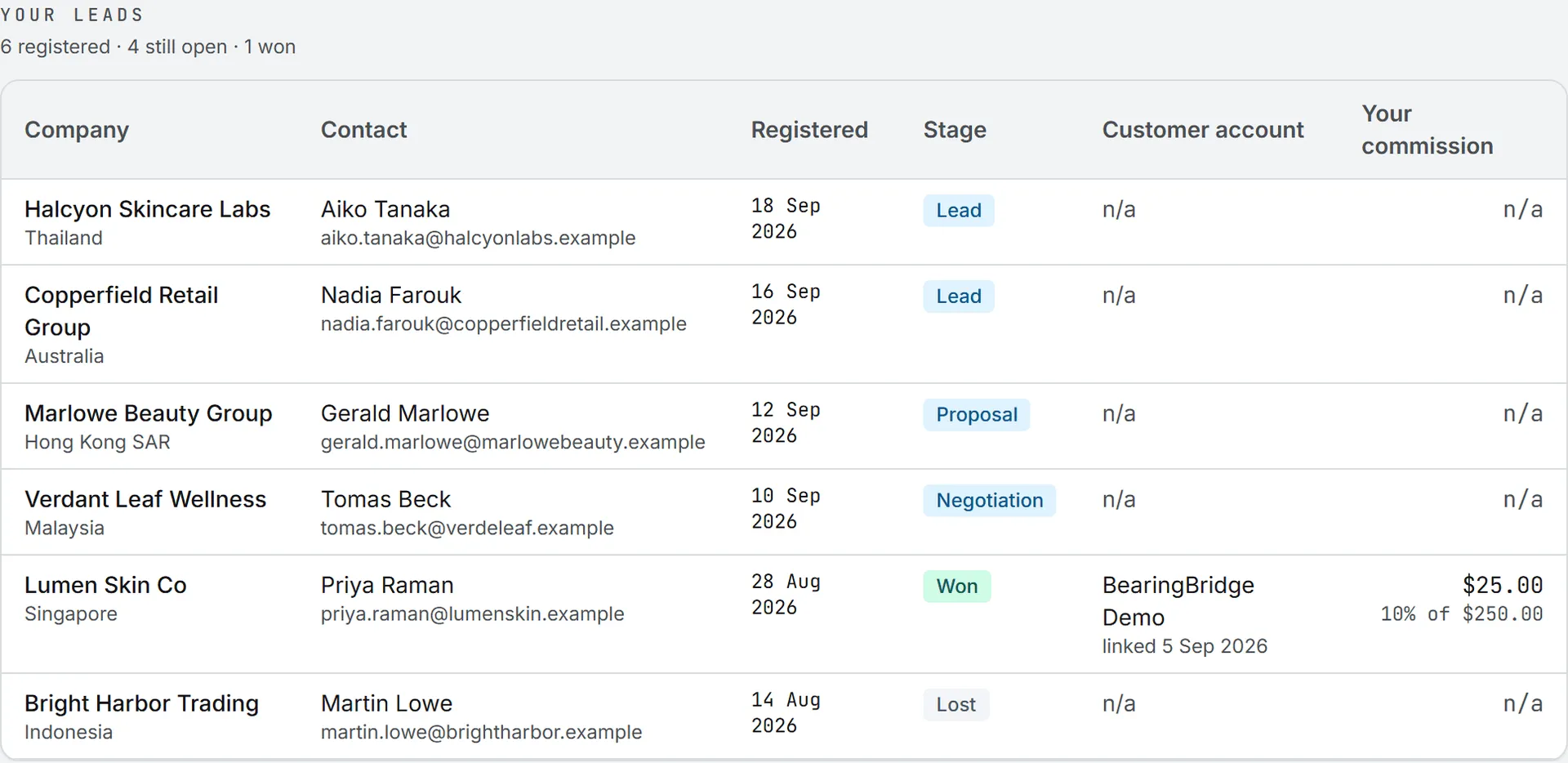
| Column | What it shows |
|---|---|
| Company | The company, with its country under it. |
| Contact | The contact name and email, or n/a. |
| Registered | The day you saved it, in your own date format. |
| Stage | Where the deal stands in BearingBridge’s pipeline, read live. |
| Customer account | The account the customer opened, once your lead is connected to it, with the day it was linked. |
| Your commission | What you’ve earned on that customer, with your rate and what they paid. n/a until the lead is connected. The full statement is on Commissions. |
Stages
The Stage column reads the deal’s stage from BearingBridge’s pipeline each time you open the page. Each stage has its own color.
| Stage | Color | Where the lead stands |
|---|---|---|
| Not filed yet | Amber | Saved, but not in the pipeline yet. |
| Lead, Proposal, Negotiation | Blue | Open and being worked by the sales team. |
| Won | Green | The deal is won. This is the stage that leads to a commission. |
| Lost, Dropped | Gray | Closed without a deal. |
A lead counts as “still open” while it’s not filed yet or at Lead, Proposal, or Negotiation.
When a lead starts earning
Seeing Won in the Stage column is good news, but a won deal needs one more step. The BearingBridge team connects your lead to the account the customer opened, whether that’s an organization or a personal account. From that day the Customer account and Your commission columns fill in, and the lead shows up on Commissions.
The rate you have that day is frozen on the lead, so a later change to your terms doesn’t touch it.
Leads that come from invitations
When a prospect opens an account through one of your invitations, you don’t need to register anything. The lead is added to this list for you and connected to their new account on the spot. It shows the Lead stage like any fresh lead, but the Customer account column is already filled in and it starts earning from the day the account is created.
Mistakes, duplicates, and cost
Once a lead is saved, you can’t edit or delete it from this page. The page doesn’t check for duplicates either, so registering the same company twice creates two leads. If something is wrong, tell the BearingBridge team through Contact us rather than registering it again.
Registering a lead is free: it uses no credits.
Your leads are yours alone, and no other partner can see them. If your role in your organization is viewer, you can still register leads. They’re your own business, not your organization’s data, and the read-only rule doesn’t apply to them.