Audio ads
Write one brief, get a script per hook in every language, record every voice over its own music bed, and download the spots to test.
Audio ads turns one brief into spots of 15 or 30 seconds for radio, streaming audio and podcasts. Each spot is one voice over a music bed, mixed to the exact length. You get several versions at once, ready to test against each other.
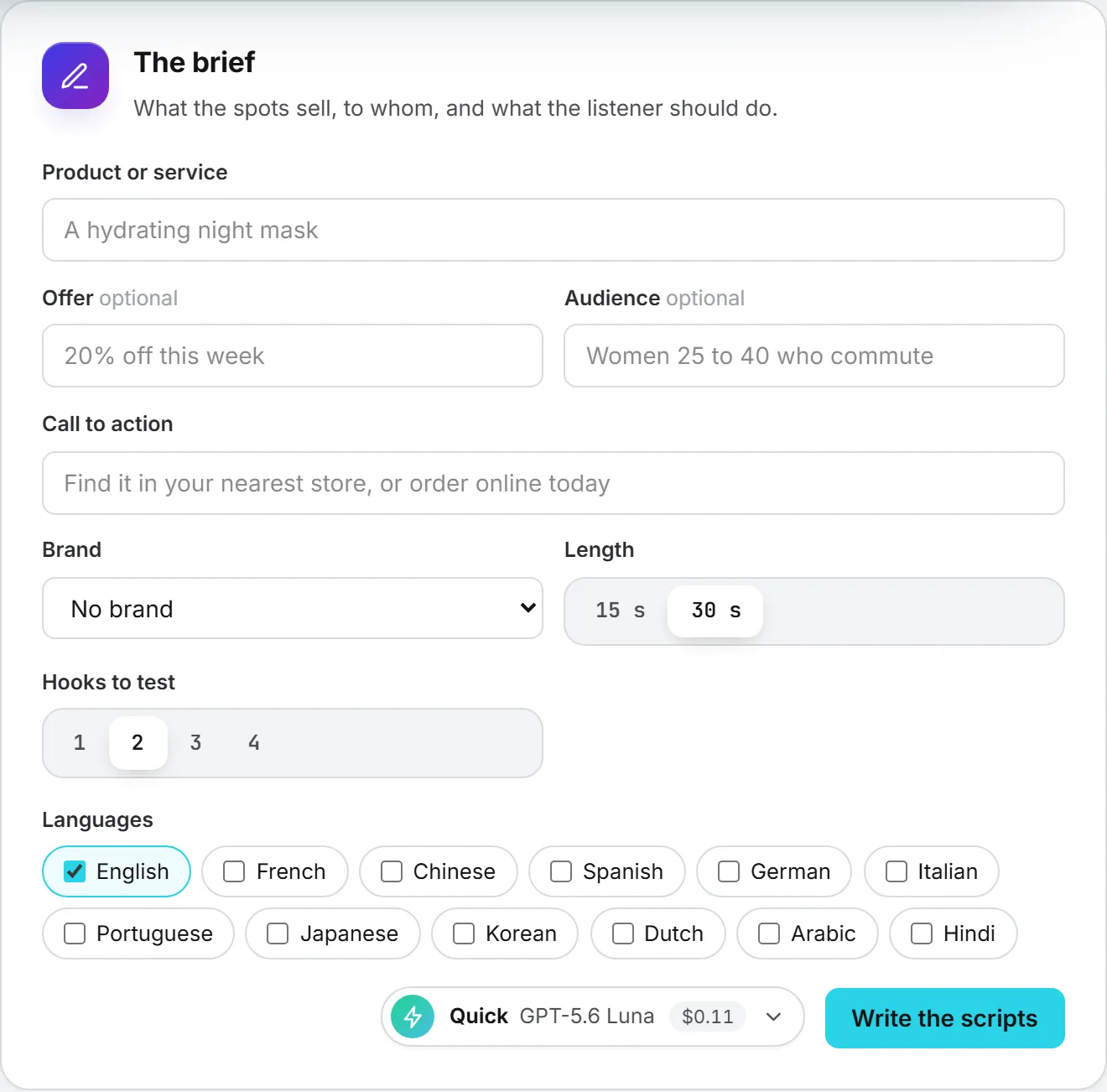
The brief
Say what the spots sell (Product or service), the Offer and the Audience if you have them, and the Call to action: what the listener should do. Then pick:
- Brand: its sonic brand kit gives the first voice and the pronunciations of every script.
- Length: 15 or 30 seconds.
- Hooks to test: one to four. A hook is a different angle on the same offer: a question, a problem and its fix, a bold claim, a short scene.
- Languages: English, French and Chinese come first, then eight more.
Click Write the scripts. A text model writes one script per hook, written natively in each language rather than translated word for word, and a description of the music that fits each hook. Its price shows when it is done.
The set
Each hook shows its scripts, one per language. The counter above each one compares its length with what the spot can hold: about 2.3 words a second, or 4 characters a second in Chinese, less a short music intro and outro. It turns red when a script is too long. Change the words or the music description freely.
Then pick the voices under Voices, for each language: one group per language of the set, its native speakers first, then a fold With an accent that holds the standard voices. In each language, the brand’s voice (when it speaks that language natively) and a contrasting one are ticked first. A voice records only the language it is ticked under, and every language of the set needs at least one voice. Then pick the Voice model: only the models that speak every language of the set are offered, the cheapest first.
The box under the voices counts the spots: hooks x voices ticked, 24 at most. Next to it is the price of what is still to record.
Record and mix
Click Record the spots. Each hook gets one music bed composed at the exact length of the spot, shared by all its spots; each spot gets its voice. Then each spot is mixed in your browser: the music opens alone, drops under the voice, comes back after it and fades out at the exact length. Each spot is saved in the Assets Library with a clear name: brand, set, hook, voice, language and length.
A large set is recorded in several rounds: the page goes on by itself. If you close the page, open the set again from Your sets: the takes already made are mixed and nothing is recorded twice.
The spots
Each spot shows its hook’s letter (A, B, C, D), its voice, language and length, a player and Download. Download all as a ZIP saves every spot of the set in one file. A spot whose voice ran over the length says so: shorten its script and record again; only what changed is recorded again.
Every spot is also in History, with its price, its script and its settings.
What it costs
- The scripts are billed like any text the app writes.
- Each voice is billed by the character of its script, each music bed by the second. The total shows before you record.
- Mixing and saving are free; the spots kept in the library count as storage, and downloading them is billed like any download.
A take that fails bills nothing.